Opening new account |
| 1. |
Go to paypal.com and click on ‘Sign up’ button at top right as below: |
| |
 |
| 2. |
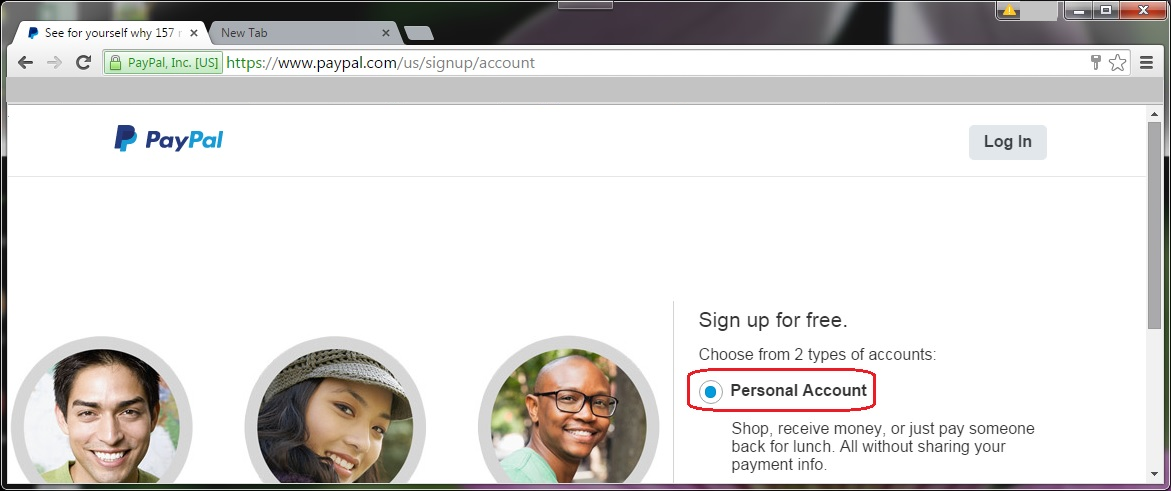
Select personal Account and click continue |
|
|  |
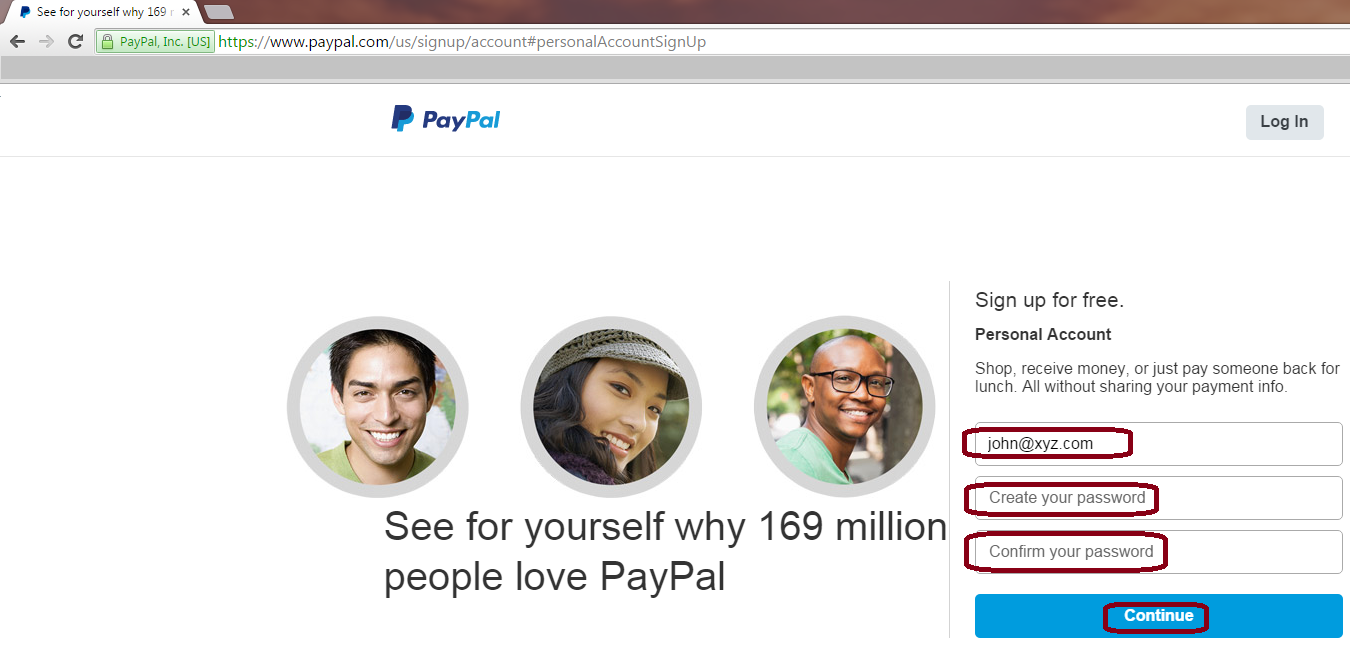
| 3. | Type in email address and your password and click continue. |
| |  |
| 4. | Next connect to your bank account by authenticating your online bank user name and password |
| 5. | Transfer money to your bank account. |
| |
|
Login into your Personal PayPal account |
| 6. | Login to your account Username: john@xyz.com and password *****. |
| |  |
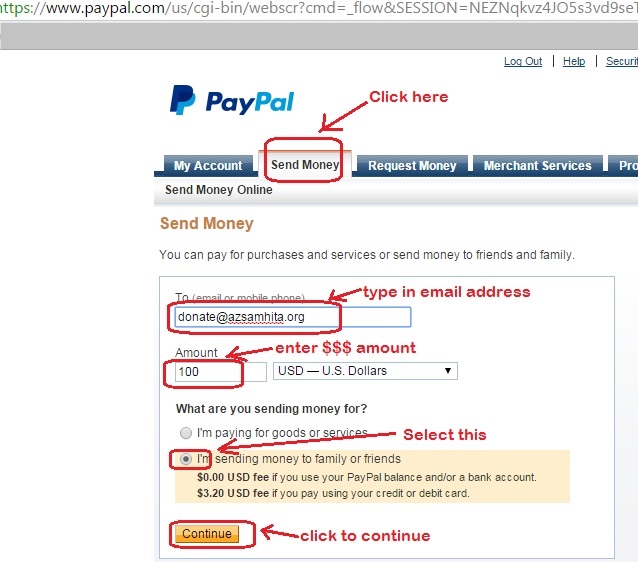
| 7. | Click on ‘Send Money’ and type in all the info as needed and select “I am send money to family or friends as below:
|
| |  |
| 8. | Next page, you will see as below : |
| | 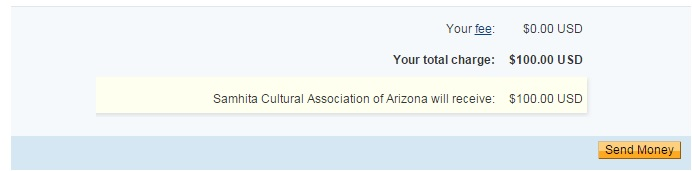 |
| 9. | Click ‘Send Money and you will get confirm like this as below: |
| |  |
| 10. | Our paypal account will receive the money immediately and you will get email confirmation immediately. |